TAK to TAK Pipeline
This guide walks operators through creating an SDL pipeline that consumes CoT messages from one TAK Server connection and publishes them to a TAK Server destination.
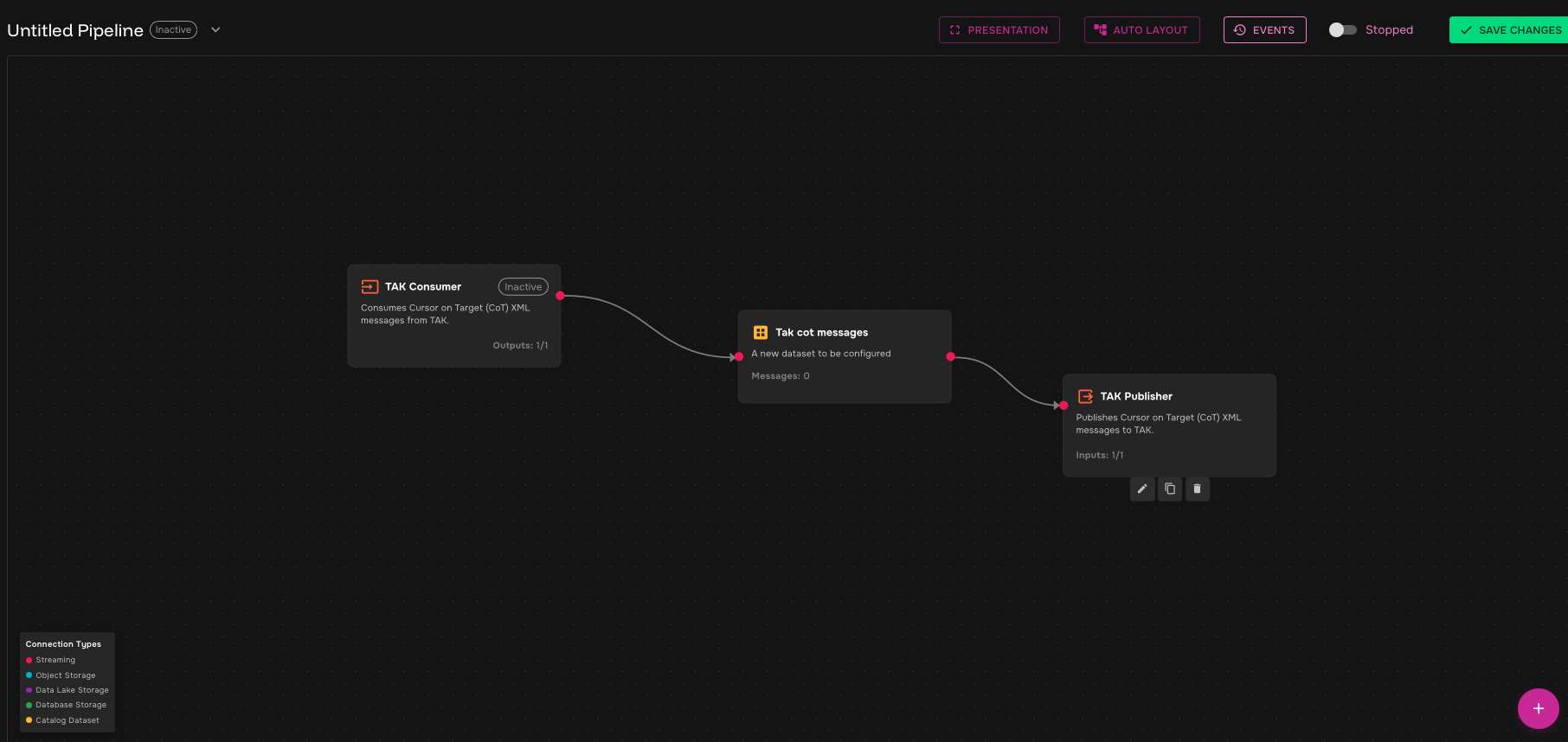
The completed flow is:
TAK Consumer → TAK CoT Messages dataset → TAK Publisher sink
Prerequisites
Before starting, make sure you have:
-
Access to SDL
-
Permission to create and run pipelines
-
Source TAK Server endpoint and connection material
-
Destination TAK Server endpoint and connection material
-
Certificate, key, or PKCS#12 values required by the TAK environment
Step 1: Create a pipeline
-
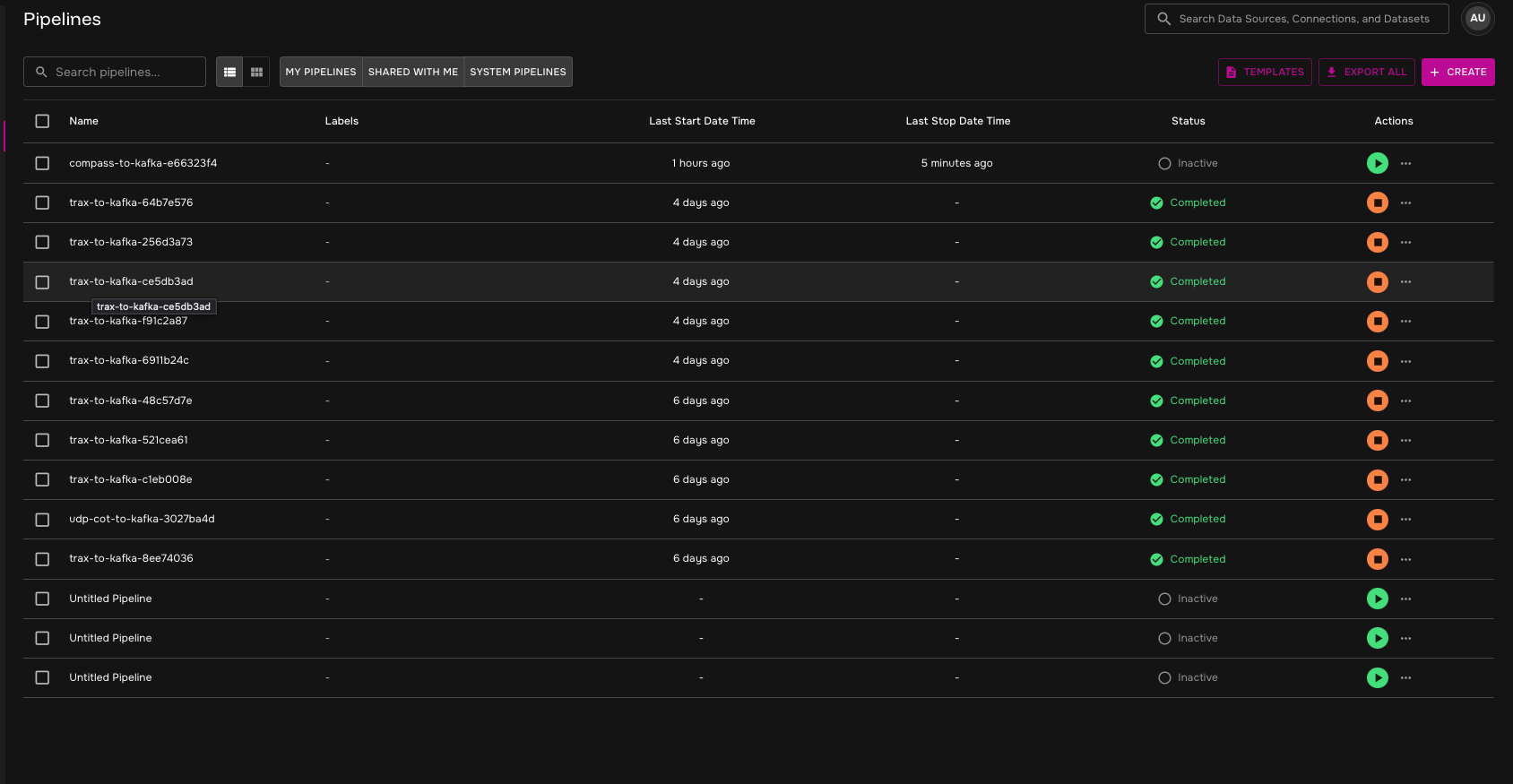
In SDL, open Pipelines.
-
Select Create in the upper-right corner.
-
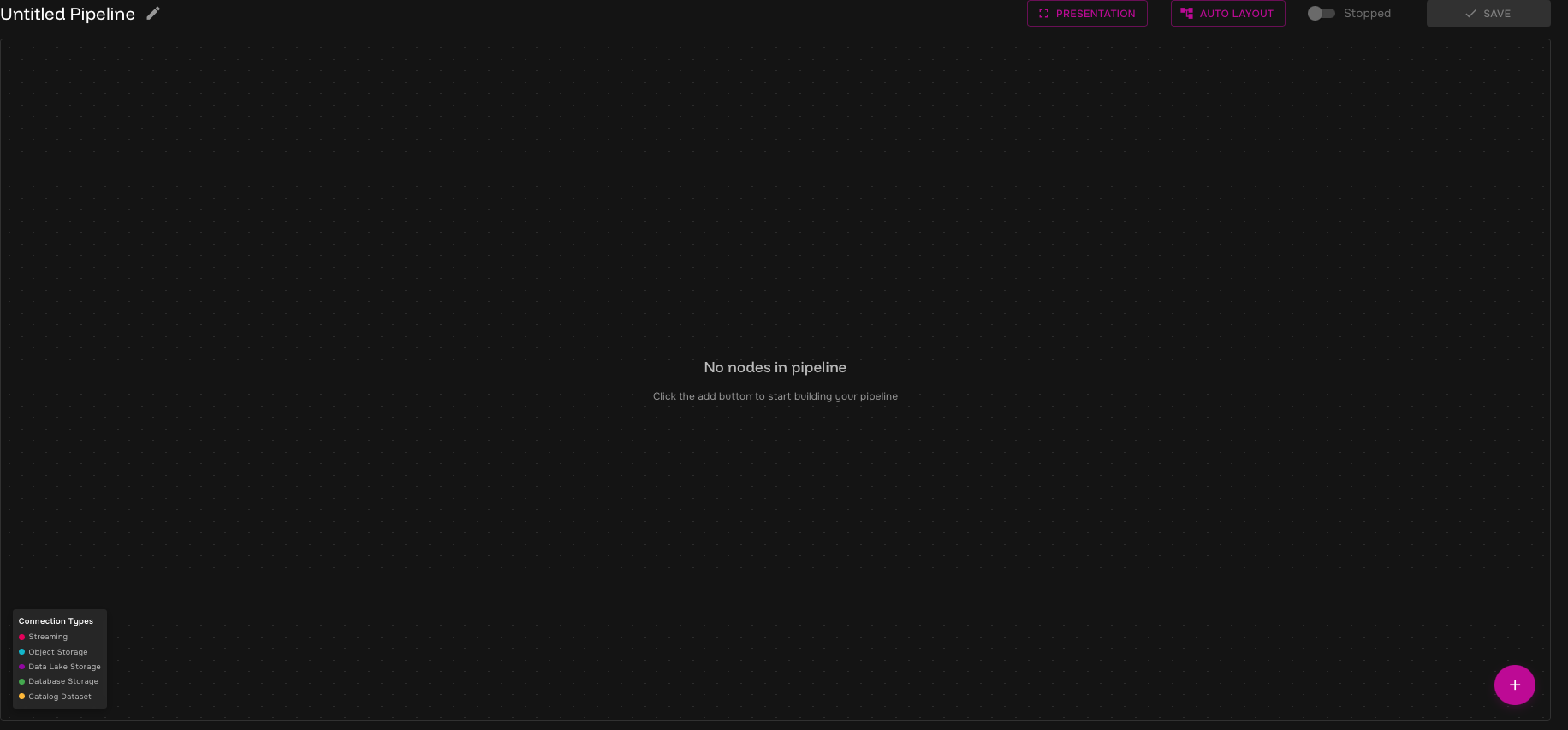
After the pipeline canvas opens, select the + icon in the bottom-right corner.
Step 2: Add TAK Consumer
-
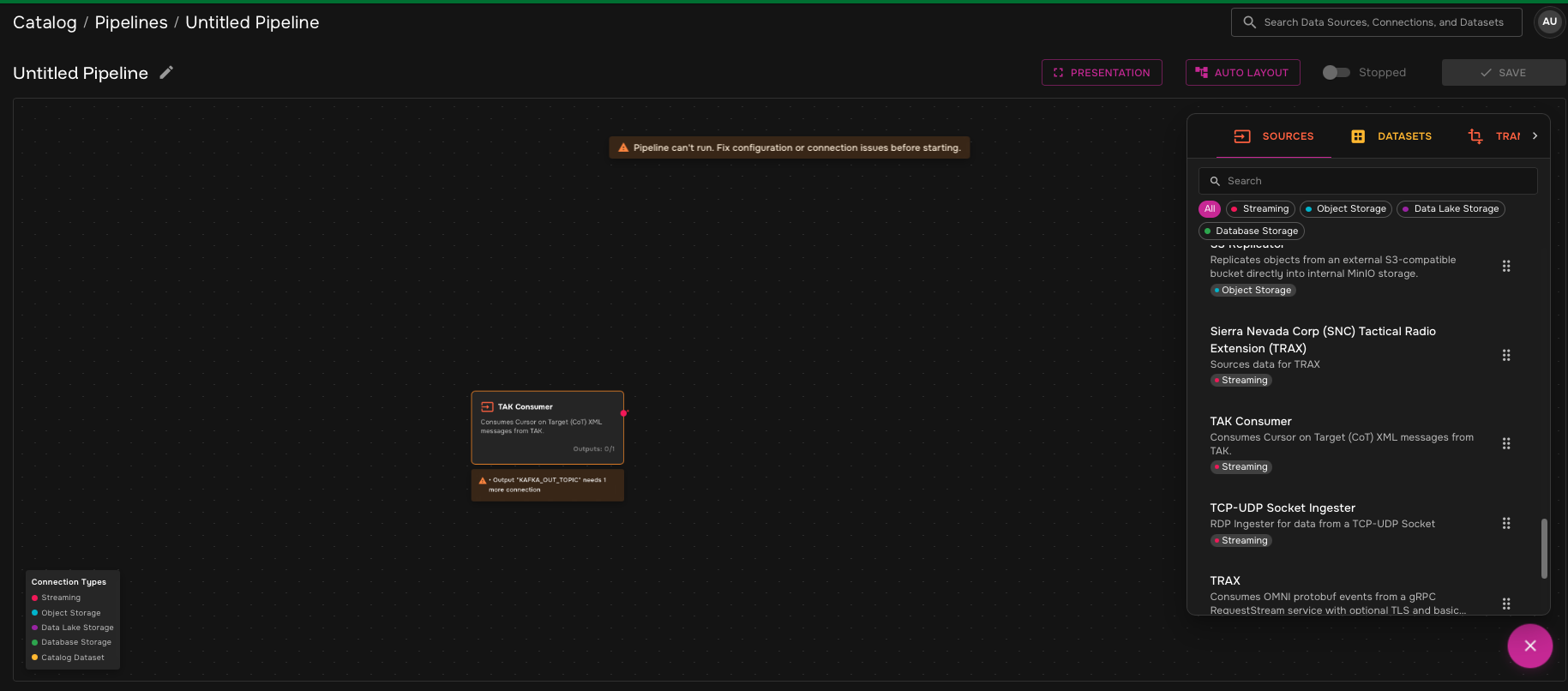
Open Sources.
-
Find the TAK Consumer data source.
-
Drag TAK Consumer onto the pipeline canvas.
-
Select the edit icon under the TAK Consumer card.
-
Enter the TAK Consumer configuration.
| Field | What to enter |
|---|---|
Display Name |
Optional readable name for the TAK Consumer. |
Description |
Optional description for the source. |
|
TAK Server endpoint in |
|
Wire protocol: |
|
Whether TLS is enabled for the TAK connection. |
|
Base64-encoded PKCS#12 client certificate, if used. |
|
Password for the PKCS#12 file or content, if used. |
|
Base64-encoded CA certificate in PEM format, if used. |
|
Base64-encoded client certificate in PEM format, if used. |
|
Base64-encoded client private key in PEM format, if used. |
|
Whether to skip TLS certificate verification. Use only when directed by the environment owner. |
|
Client UID for protocol negotiation. Leave empty to auto-generate if appropriate for the environment. |
|
Connection timeout in milliseconds. |
|
Read timeout in milliseconds. Use |
|
Initial reconnection backoff in milliseconds. |
|
Maximum reconnection backoff in milliseconds. |
|
Maximum reconnection attempts. Use |
|
Write timeout in milliseconds. |
|
Maximum time to wait for in-flight writes during shutdown, such as |
|
Classification level the transformer operates under. This is used as the default when unmarked data is encountered. |
|
Security marking mode: |
|
Log level: |
Replicas |
Number of replicas for this pipeline stage. |
-
Save the TAK Consumer configuration.
Step 3: Create and connect the TAK CoT Messages dataset
-
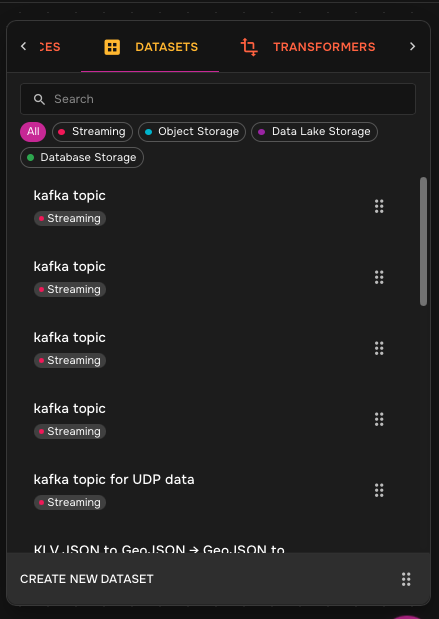
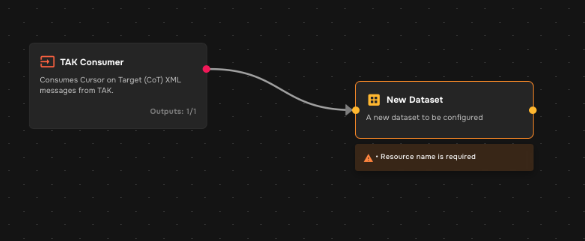
Select Create New Dataset.
-
Drag the new dataset onto the pipeline canvas.
-
Connect the output from TAK Consumer to the new dataset.
-
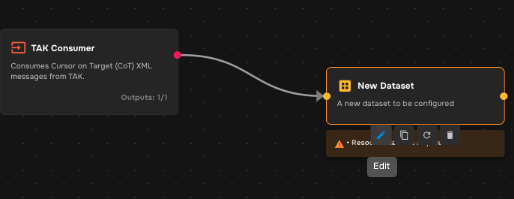
Select the edit icon for the dataset.
-
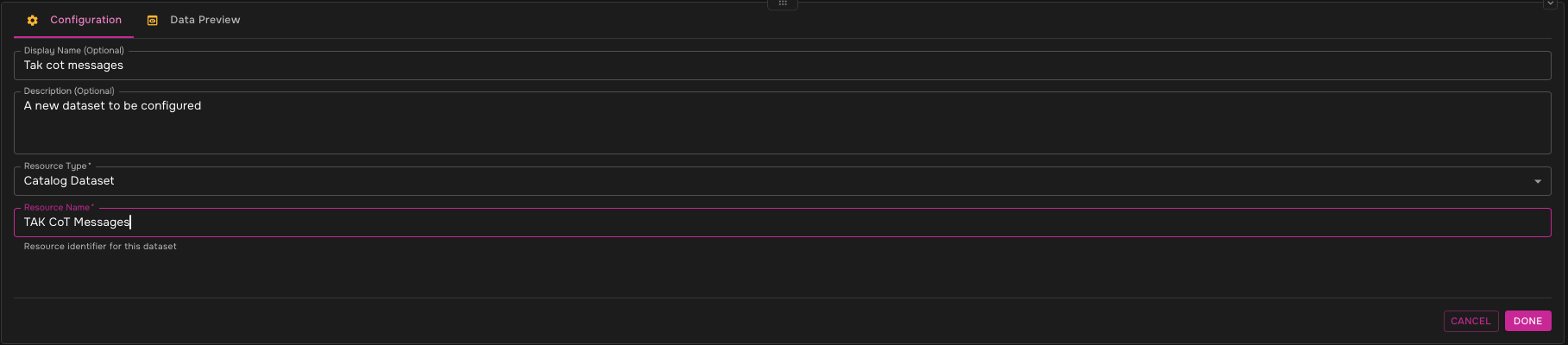
Enter a Kafka-safe resource name, such as
tak-cot-messages.Use lowercase letters, numbers, hyphens, underscores, or dots. Avoid spaces and uppercase letters.
-
Select Done.
Step 4: Add TAK Publisher sink
-
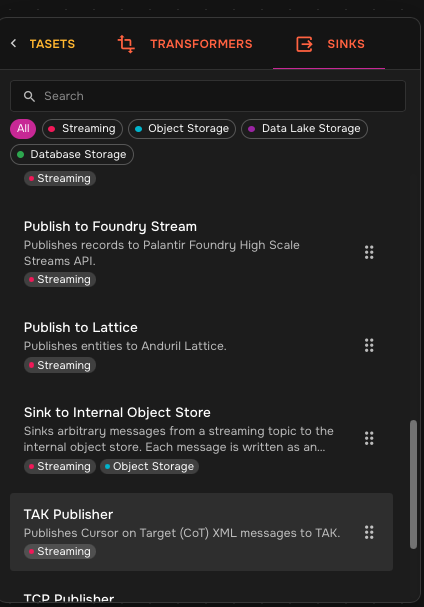
Open Sinks.
-
Find the TAK Publisher sink.
-
Drag TAK Publisher onto the pipeline canvas.
-
Connect the TAK CoT Messages dataset to the TAK Publisher sink.
-
Select the edit icon under TAK Publisher.
-
Enter the destination TAK Server configuration.
Use the destination TAK Server endpoint and certificate or credential values provided for the environment. The publisher-side configuration should match the destination server’s required protocol, TLS, and authentication settings.
-
Save the TAK Publisher configuration.
Step 5: Save and start the pipeline
-
Confirm the pipeline has this shape:
TAK Consumer → TAK CoT Messages dataset → TAK Publisher -
Confirm no required configuration warnings remain on the TAK Consumer, dataset, or TAK Publisher.
-
Select Save.
-
Start the pipeline.
Validate TAK to TAK forwarding
After the pipeline starts, verify:
| Check | Expected result |
|---|---|
TAK Consumer |
The source TAK Server connection is active and consuming CoT messages. |
TAK CoT Messages dataset |
The dataset receives messages from the TAK Consumer. |
TAK Publisher |
The destination TAK Server connection is configured and running. |
Destination TAK Server |
CoT messages forwarded by the pipeline appear on the destination TAK Server. |
Troubleshooting
| Symptom | What to check |
|---|---|
TAK Consumer warning remains |
Confirm the source endpoint, protocol, TLS settings, credentials, output dataset connection, and required fields. |
Dataset does not receive messages |
Confirm the source TAK Server is reachable and sending CoT messages for the configured account. |
TAK Publisher warning remains |
Confirm the destination endpoint, protocol, TLS settings, credentials, and input dataset connection. |
Destination TAK Server receives no messages |
Confirm the pipeline is running, source messages are reaching the dataset, and the publisher can connect to the destination TAK Server. |