QoS Priority and Network Status
SDL uses Quality of Service (QoS) priorities and current network status to keep mission-critical pipelines running when bandwidth is constrained. The platform evaluates each pipeline against catalog references, resolves an effective priority, and can temporarily suspend lower-priority runtime workloads until network conditions permit them to resume.
|
Effective Priority
Each pipeline can reference catalog resources such as datasources, enablements, and datasets. SDL resolves those references into one effective priority for the pipeline.
Effective priority follows these rules:
-
Dataset priority is evaluated first. If any referenced dataset has an assigned priority, the highest dataset priority becomes the pipeline effective priority.
-
Connection priority is evaluated only when no referenced dataset has an assigned priority. If any referenced connection has an assigned priority, the highest connection priority becomes the pipeline effective priority.
-
Datasource priority is evaluated only when no referenced dataset or connection has an assigned priority. If any referenced datasource has an assigned priority, the highest datasource priority becomes the pipeline effective priority.
-
The Default Network Profile Priority Tier is used only when no referenced dataset, connection, or datasource has an assigned priority.
This means a more specific assignment wins before tier comparison.
For example, a connection set to LOW remains LOW even when its datasource is set to HIGH.
Within the selected specificity level, the highest tier wins.
Priority tiers are ordered from highest to lowest:
| Tier | Order | Meaning |
|---|---|---|
|
|
Highest priority. Continues to run under the most constrained network profile. |
|
|
Important operational traffic. |
|
|
Standard operational traffic. |
|
|
Lowest priority tier. |
Network Status and Profile
Network status and the QoS network profile are related but separate concepts.
Network status reports user observed conditions such as link throughput, service latency, and reachability.
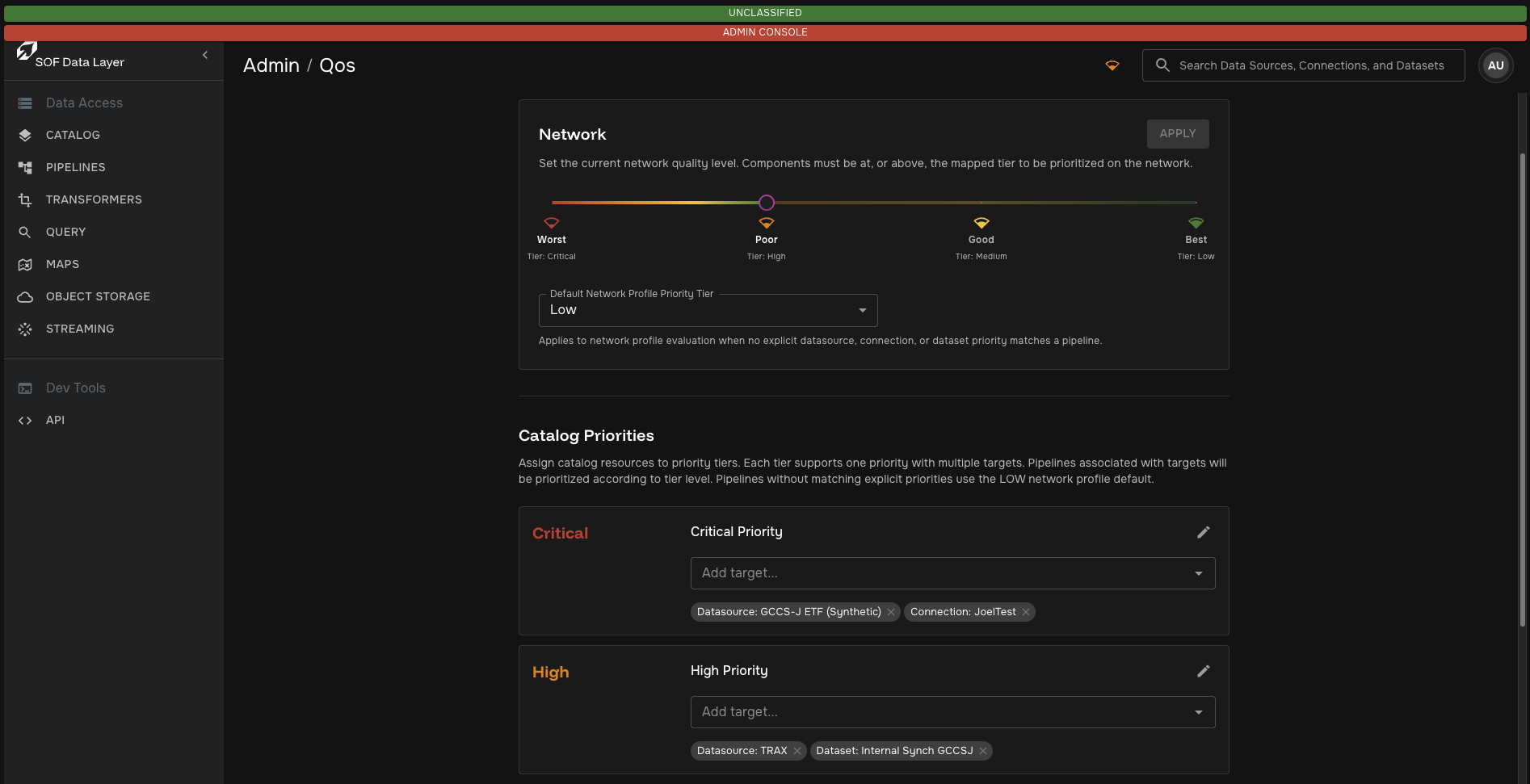
The NETWORK profile is the QoS threshold used to decide which pipeline priorities are allowed to run.
When the NETWORK profile is stricter than a pipeline’s effective priority, the platform marks that pipeline for QoS suspension.
The higher-priority tiers have lower numeric order values, so a pipeline is suspended when its effective priority order is greater than the current NETWORK profile order.
For example, when the network profile is HIGH:
-
CRITICALandHIGHpipelines continue running. -
MEDIUMandLOWpipelines are suspended by QoS. -
Pipelines without catalog priority assignments resolve to the configured Default Network Profile Priority Tier.
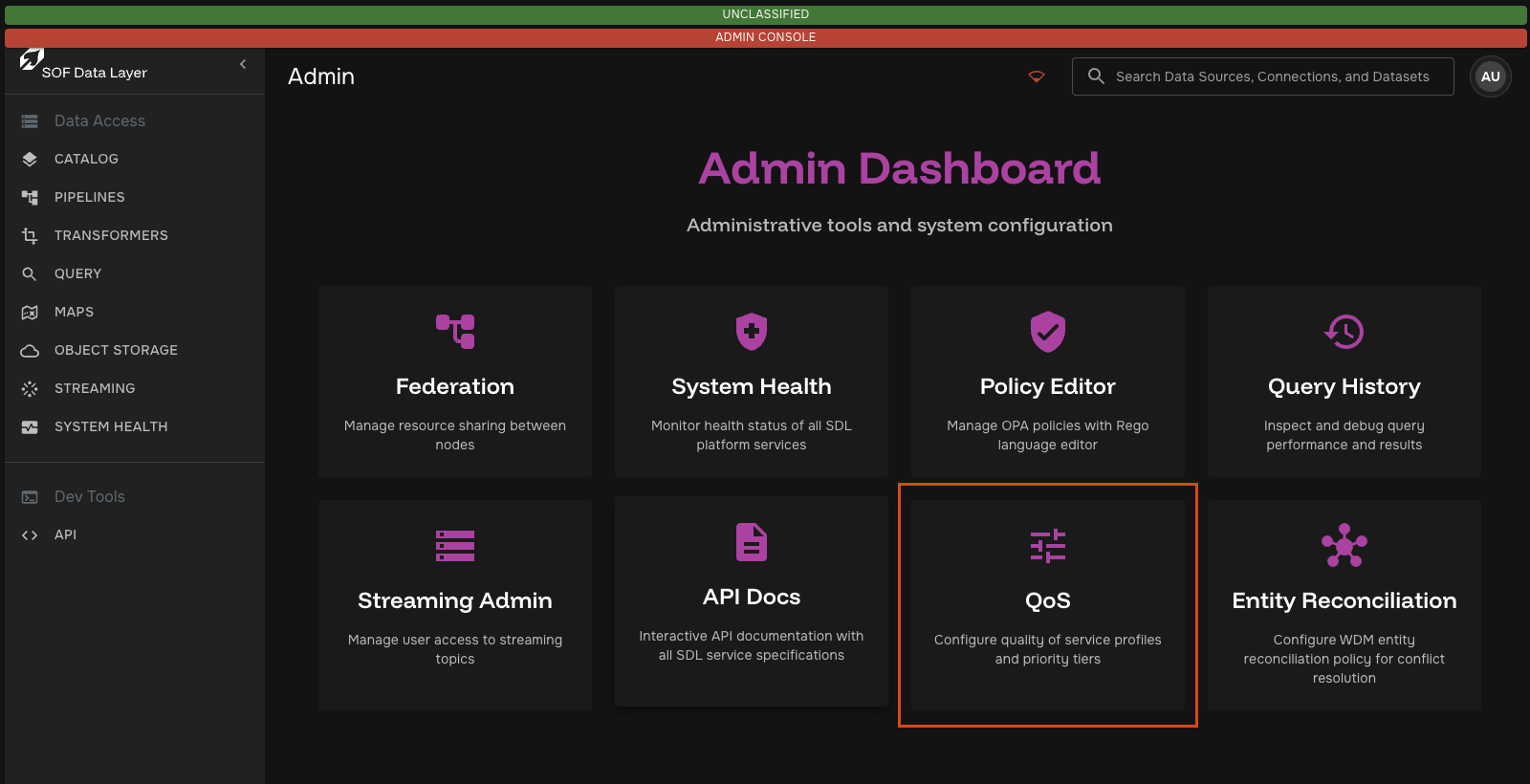
Admins can set the Default Network Profile Priority Tier from the QoS Admin page. Changing this value affects only pipelines without an explicit priority on any referenced dataset, connection, or datasource. Pipelines with explicit catalog priority assignments continue to use the effective priority rules above.
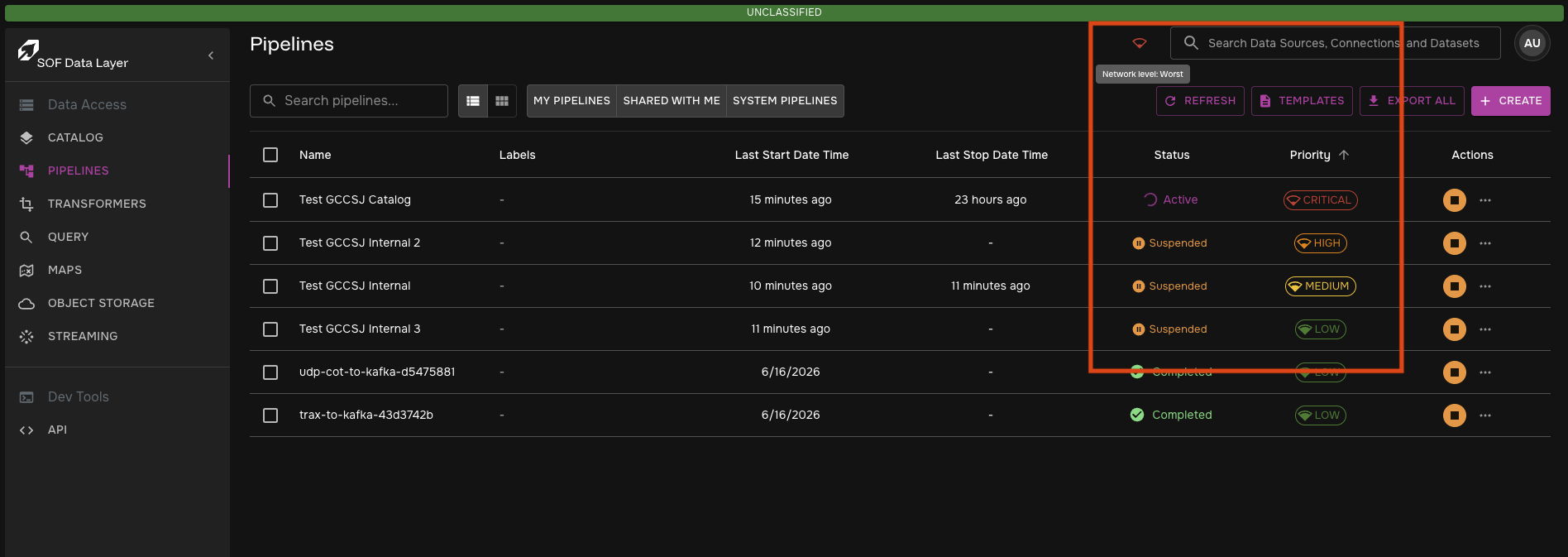
| Notice in the following example: Network Status is "Worst", only the pipeline with a Critical effective priority is still active. The pipelines with High, Medium, and Low priorities are Suspended |
Runtime Flow
QoS evaluation is shared across the platform:
-
An admin user or automated external process updates the network profile or catalog priority assignments.
-
The backend listens to that event and responds by calculating and applying effective priorities to pipelines.
-
If the network profile later allows the pipeline to run,
df-operatorremoves the QoS suspension annotations and normal reconciliation recreates runtime resources. -
If any change happens in the pipeline components while it is suspended (i.e., a dataset priority is raised to match network level), the backend will reconcile the pipeline and activate it automatically if necessary.
-
A backend process will run reconciliation on the pipelines periodically in the event that some backend component was down or an error occurred. The pipelines will eventually activate or suspend accordingly.
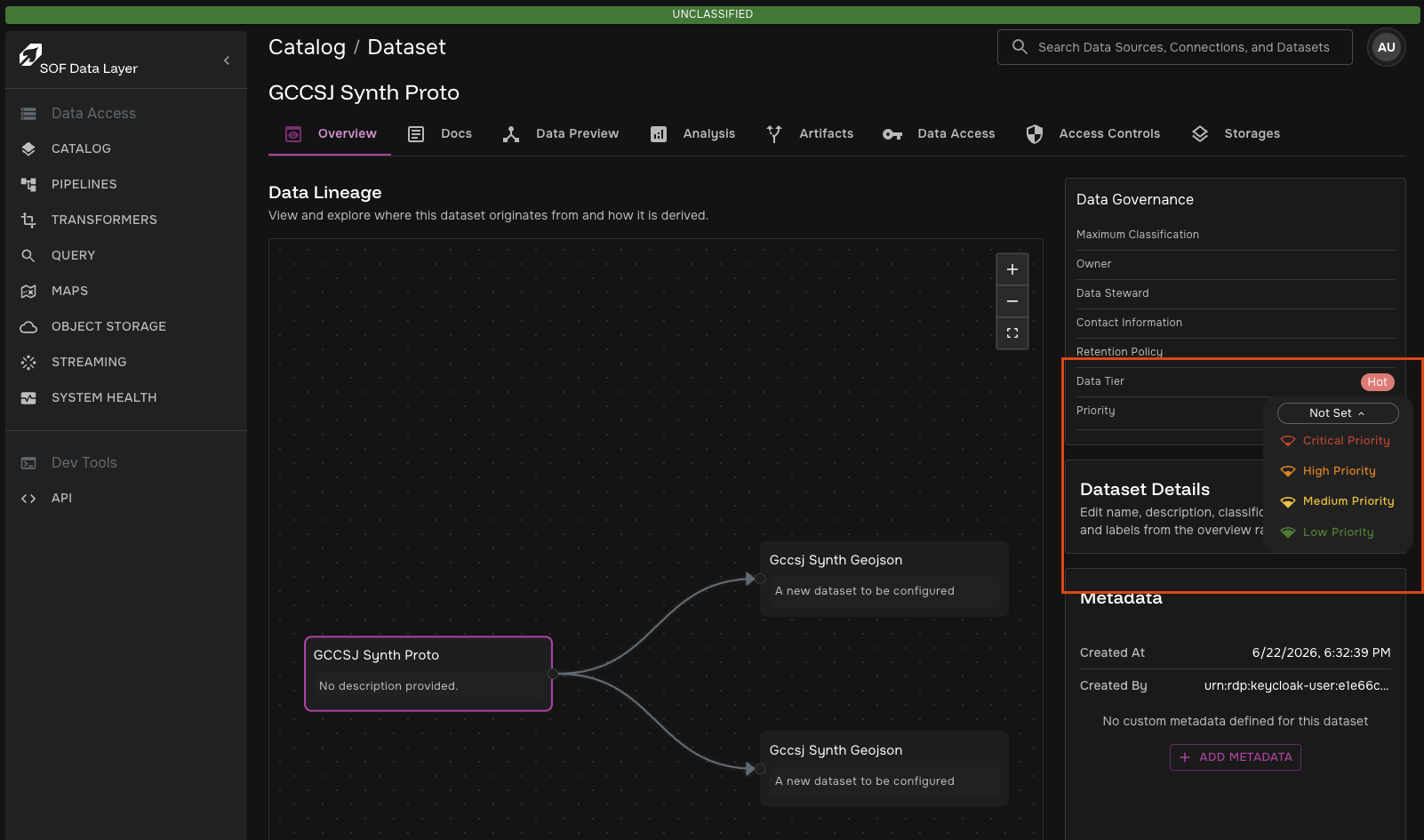
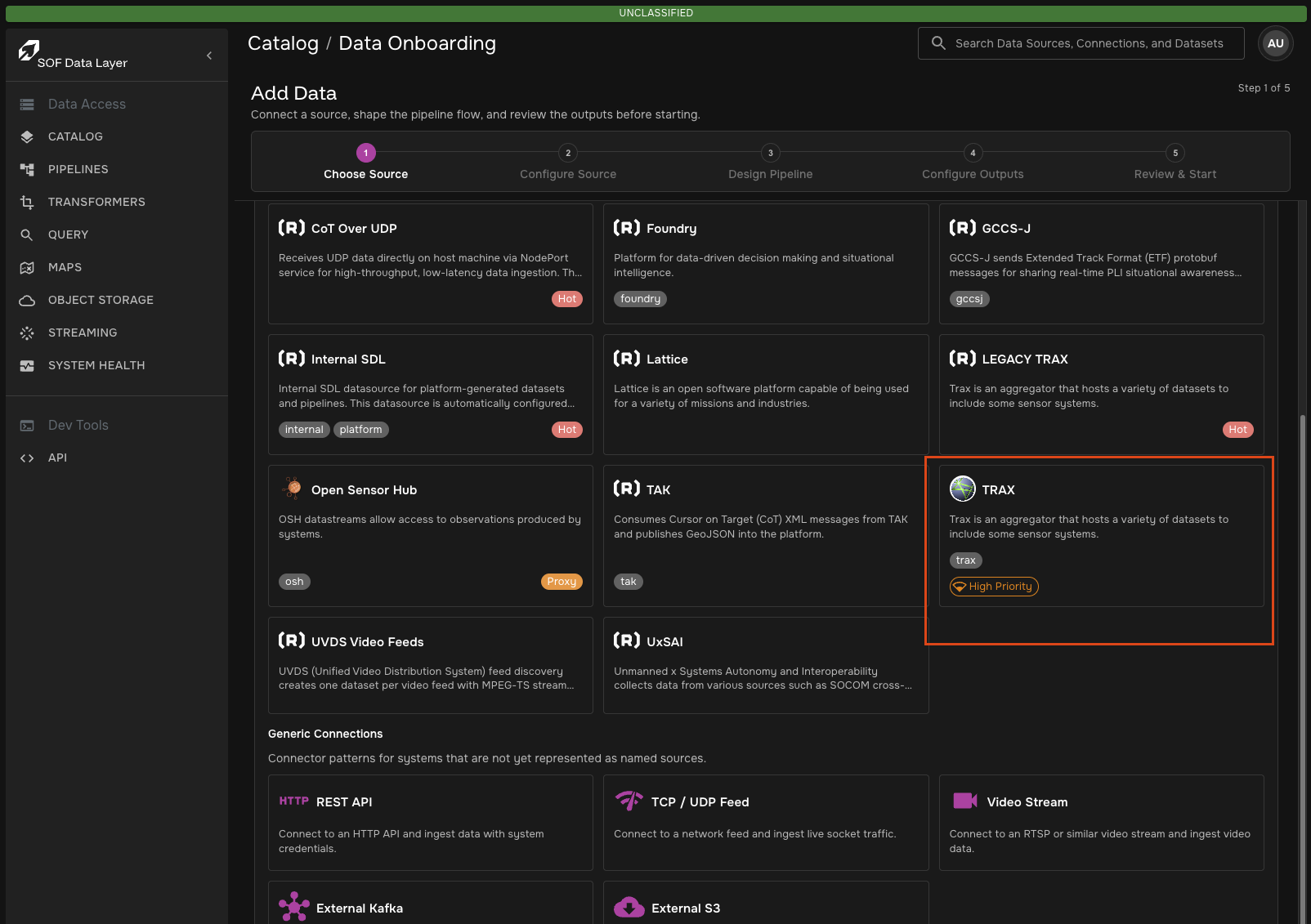
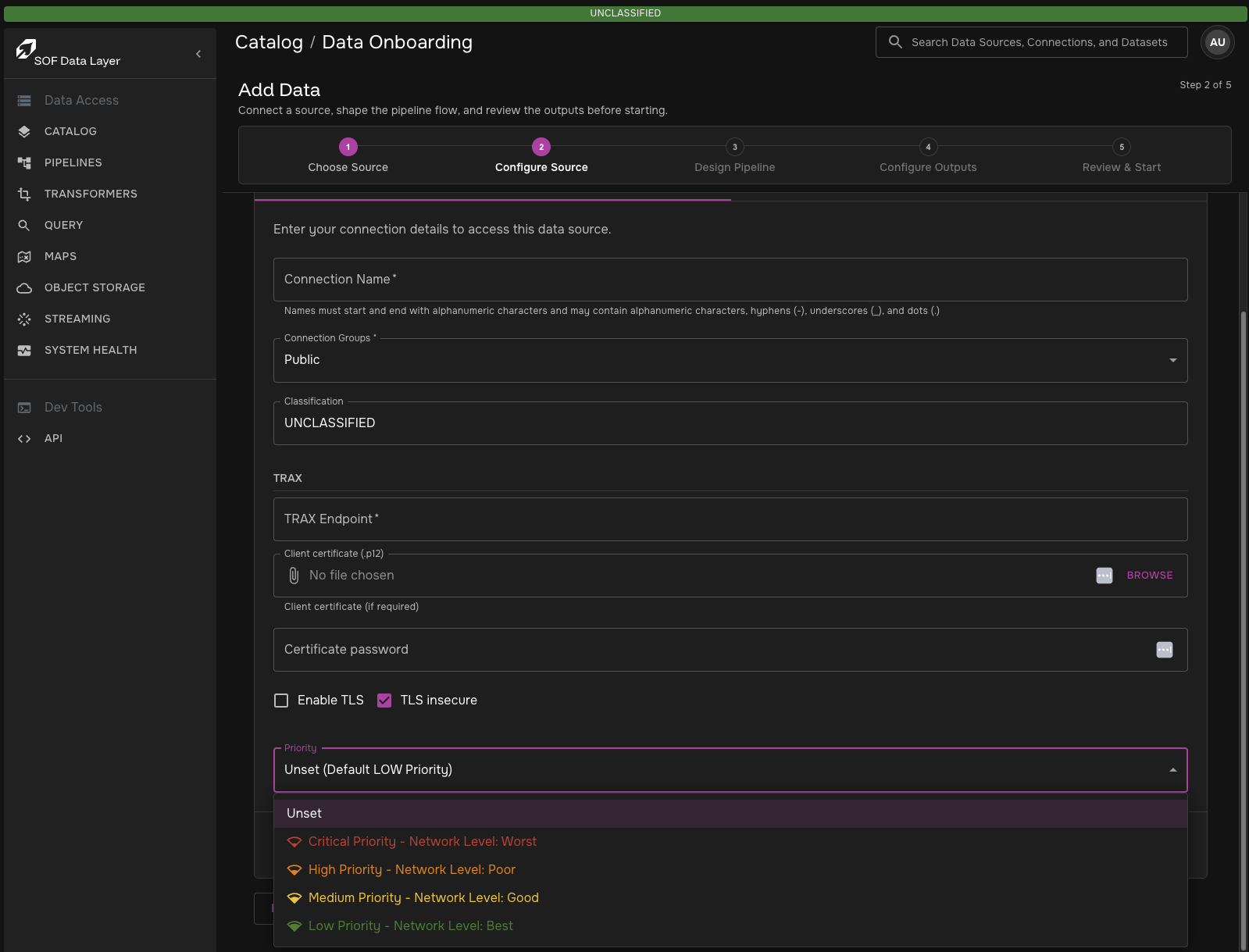
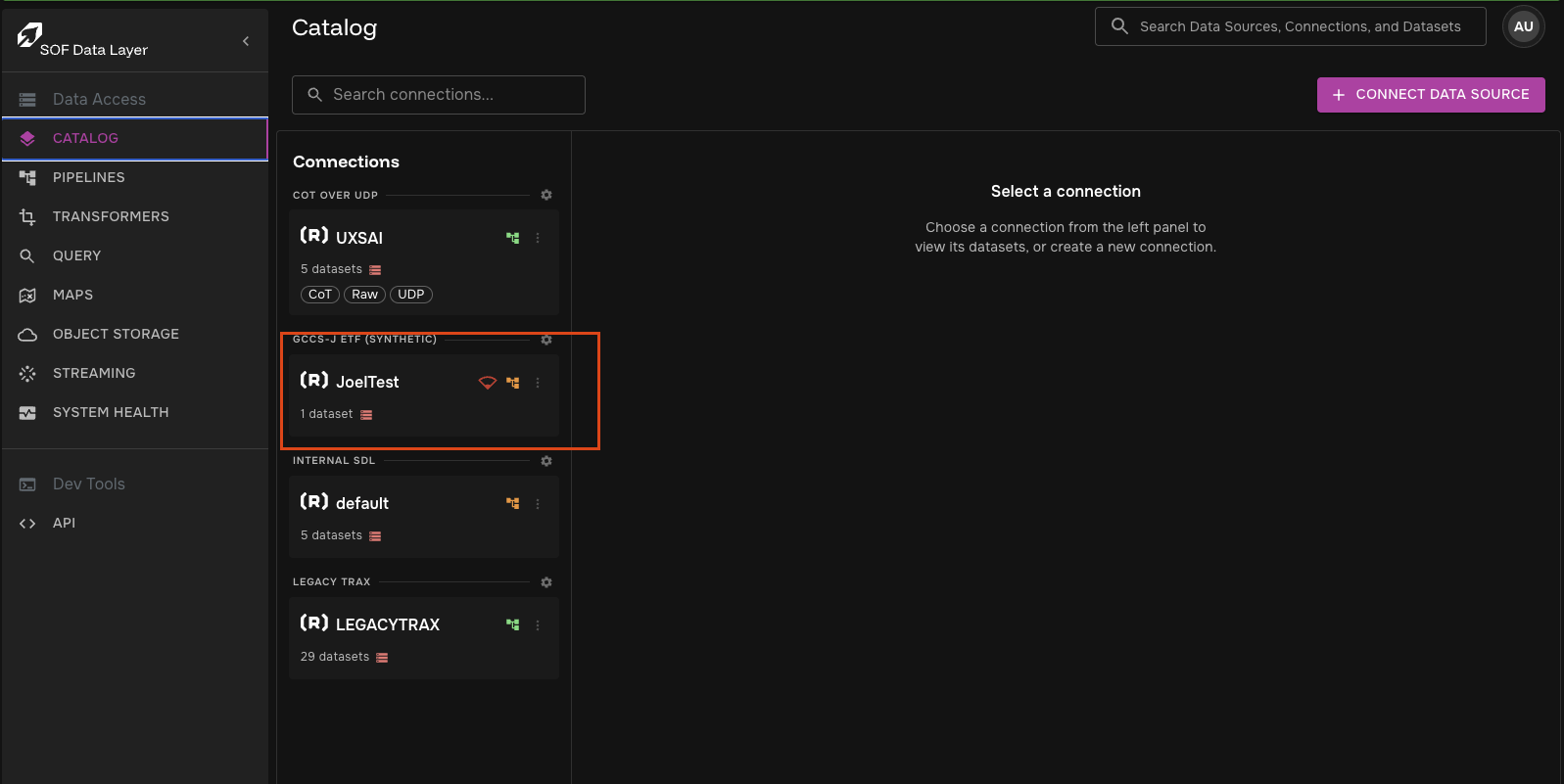
Priorities can be set on resources directly
Suspension Behavior
QoS suspension is temporary and platform-controlled. It is different from a user stopping a pipeline.
When a pipeline is QoS suspended:
-
The Pipeline custom resource remains in the cluster.
-
Runtime Jobs and Services are removed or prevented from starting.
-
The pipeline status is shown as
Suspended. -
The suspension marker is stored on the live Pipeline resource as
sdl.qos.suspended=true. -
The pipeline resumes automatically when QoS permits it to run again.
User-stopped pipelines do not restart just because network conditions improve.
Pipelines in terminal states such as Finished or Invalid do not remain QoS suspended; stale QoS suspension annotations are cleared.
Failure Handling
QoS is designed to degrade safely:
-
If
df-coreis unavailable,df-backendstill returns pipeline list and detail responses without failing the request. -
If
df-coreis unavailable todf-operator, the operator leaves the current runtime state unchanged instead of mass suspending or resuming pipelines. -
Existing Pipeline resources without catalog reference annotations resolve to default
LOW.
Common Scenarios
| Scenario | Expected behavior |
|---|---|
Network profile is |
Active runtime-eligible pipelines run unless a user has stopped them. |
Network profile changes to |
|
Network profile returns to |
QoS-suspended pipelines resume automatically. User-stopped pipelines stay stopped. |
Priority assignment changes |
Matching pipelines receive a new effective priority on the next QoS evaluation. Specificity is evaluated first, then the highest tier within that specificity level wins. |
Pipeline has no catalog refs |
Pipeline resolves to the configured Default Network Profile Priority Tier. |